Canada Income Tax Calculator (2025–2026)
Calculating your take‑home pay in Canada is not just about applying a single tax rate. Federal tax brackets, provincial or territorial tax systems, CPP or QPP contributions, and EI or QPIP deductions all interact to determine how much money actually lands in your pocket. This Canada Income Tax Calculator is designed to bring all of those elements together in one place and show you a clear, realistic estimate of your net pay for the 2025–2026 tax year.
This guide explains exactly how to use the calculator, what each result means, how the calculation works behind the scenes, and how to avoid common mistakes when estimating Canadian income tax.
What This Calculator Does
This calculator estimates your after‑tax income based on:
• Your gross income
• Your selected pay frequency
• Your province or territory of residence
• Federal income tax brackets
• Provincial or territorial income tax brackets
• CPP or QPP pension contributions
• EI or EI + QPIP insurance deductions
The output is a clean, period‑based net pay figure (annual, monthly, bi‑weekly, or weekly), along with a detailed breakdown of each tax component.
The goal is clarity. You don’t just see a final number—you understand where each dollar goes.
How to Use the Canada Income Tax Calculator
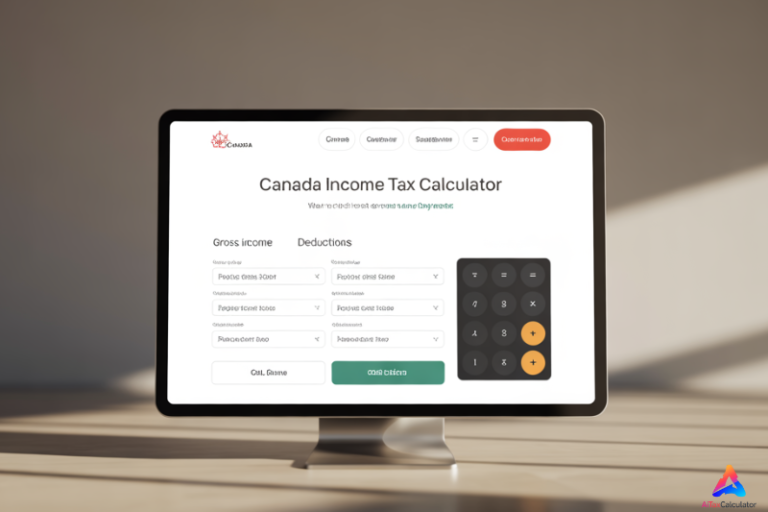
Using the Canada Income Tax Calculator takes less than a minute and requires only three inputs.
Step 1: Enter Your Gross Income
In the Gross Income ($) field, enter your earnings based on the pay frequency you select.
For example:
• If you choose Annually, enter your yearly salary (e.g., 65,000).
• If you choose Monthly, enter your monthly pay (e.g., 5,000).
• If you choose Bi‑Weekly, enter one paycheque amount.
The calculator automatically converts this amount into an annual income for accurate tax calculation.
Step 2: Select Your Pay Frequency
Choose how often you are paid:
• Annually
• Monthly
• Semi‑Monthly (24 payments per year)
• Bi‑Weekly (26 payments per year)
• Weekly
The selected frequency determines how the net pay and deductions are displayed. The logic always starts with annual tax calculations and then converts results back to your chosen pay period.
Step 3: Choose Your Province or Territory
Select the province or territory where you pay income tax.
This matters because each province and territory has its own tax brackets, credits, and contribution rules. Quebec is handled separately with QPP and QPIP calculations.
Once selected, the calculator instantly recalculates your results.
Enter your income details, select your province, and click calculate. For official tax rates and guidelines, refer to the Canada Revenue Agency (CRA) tax guide.
Understanding the Results
The results panel is divided into two main sections: Net Pay Summary and Tax Breakdown.
Estimated Net Pay
This is the most important number for most users.
It shows how much income you take home after all taxes and deductions, displayed per your selected pay period. If you choose monthly, you’ll see monthly net pay. If you choose annually, you’ll see annual net income.
This number reflects realistic payroll deductions rather than just headline tax rates.
Gross Income
This confirms the amount you entered for the selected pay period. It helps you quickly verify that the Canada Income Tax Calculator is using the correct base income.
Federal Tax
Federal income tax is calculated using Canada’s progressive federal tax brackets. As your income increases, only the portion above each threshold is taxed at the higher rate.
A basic personal amount tax credit is applied to reduce federal tax, reflecting how real tax filings work.
Provincial or Territorial Tax
Each province and territory applies its own tax brackets and credits. The calculator applies the correct regional tax structure based on your selection and subtracts a standard provincial credit estimate.
CPP or QPP Contributions
• CPP applies in all provinces except Quebec.
• QPP applies if you select Quebec.
Contributions are calculated up to the annual maximum pensionable earnings, after subtracting the basic exemption.
EI or EI + QPIP
• Outside Quebec: standard EI deductions apply.
• In Quebec: reduced EI plus QPIP contributions are calculated.
These deductions are capped at the annual maximum insurable earnings.
Total Tax
This is the combined total of:
• Federal tax
• Provincial or territorial tax
• CPP or QPP contributions
• EI or EI + QPIP deductions
It is shown per pay period for easier budgeting.
Average Tax Rate
This shows the percentage of your annual income that goes toward total taxes and deductions. It’s useful for comparing tax efficiency across income levels or provinces.
How the Calculation Works (Behind the Scenes)
The Canada Income Tax Calculator follows a structured, payroll‑style calculation process:
- Your entered income is annualized based on pay frequency.
- CPP or QPP contributions are calculated up to the yearly maximum.
- EI or EI + QPIP deductions are applied using current rate estimates.
- Federal income tax is calculated using progressive brackets.
- Federal basic personal amount credit is applied.
- Provincial or territorial tax is calculated using regional brackets.
- A standard provincial credit estimate is applied.
- All deductions are summed and subtracted from gross income.
- The final net income is converted back to your selected pay period.
This mirrors how Canadian payroll systems and tax estimations work in practice.
You can also compare your results with other calculators like the TaxTips.ca calculator for more detailed insights.”
Real Example Calculation
Let’s say you earn $65,000 per year and live in Ontario.
• Gross Income: $65,000 annually
• Federal tax is calculated using federal brackets
• Ontario tax is applied using Ontario’s rates
• CPP contributions are deducted up to the yearly cap
• EI premiums are applied
After all deductions, your net annual income is calculated. The calculator then shows your take‑home pay per year, per month, or per paycheque depending on your selected frequency.
This makes it easy to compare job offers, negotiate salaries, or plan monthly budgets.
Common Mistakes to Avoid
Many people miscalculate Canadian taxes because of these errors:
• Entering annual income while selecting monthly pay
• Ignoring CPP or EI deductions
• Assuming one flat tax rate applies to all income
• Forgetting provincial tax differences
• Treating gross salary as take‑home pay
This Canada Income Tax Calculatorhelps avoid these mistakes by automatically handling tax structure and contribution limits.
Who Should Use This Calculator
This Canada Income Tax Calculator is useful for:
• Salaried employees
• Hourly workers
• Job seekers comparing offers
• New immigrants to Canada
• Budget planners
• Freelancers estimating personal tax impact
It is designed for quick, realistic estimates rather than complex tax filing scenarios.
Important Notes and Limitations
This Canada Income Tax Calculator provides estimates, not official tax filings.
Actual tax results may vary based on:
• Additional tax credits
• RRSP contributions
• Union dues
• Benefits and allowances
• Multiple income sources
For precise tax filing, always consult official CRA resources or a licensed tax professional.
How Accurate Is This Canada Income Tax Calculator?
Accuracy matters—especially for money-related tools. This Canada Income Tax Calculator is designed to closely mirror real Canadian payroll and income tax calculations using up-to-date federal and provincial tax brackets, CPP/QPP contribution rules, and EI/QPIP deduction limits for the 2025–2026 tax year.
What makes this calculator reliable:
• Progressive federal and provincial tax brackets are applied correctly
• CPP and QPP contributions respect annual maximums and exemptions
• EI and QPIP deductions follow current rate structures
• Quebec-specific rules are handled separately
• Income is annualized properly based on pay frequency
However, this Canada Income Tax Calculator provides estimates, not official CRA assessments. Your actual tax outcome may differ due to RRSP contributions, tax credits, benefits, bonuses, stock options, union dues, or multiple income sources.
For salary planning, budgeting, and offer comparisons, the results are highly dependable. For filing returns, always confirm with CRA guidance or a certified tax professional.
Why This Calculator Is Better Than Generic Tax Calculators
Many popular Canada Income Tax Calculator focus only on headline tax rates. This tool goes further by:
• Showing net pay per paycheque, not just annually
• Separating federal, provincial, CPP/QPP, and EI/QPIP deductions
• Supporting all provinces and territories, including Quebec
• Using a clean, distraction-free interface
• Explaining results clearly instead of hiding the logic
Unlike one-size-fits-all calculators, this tool is built for real-world payroll expectations, making it especially useful for employees and job seekers.
Frequently Asked Questions
Is this Canada Income Tax Calculator free to use?
Yes. The calculator is completely free and does not require registration or personal information.
Does this calculator work for Quebec?
Yes. When Quebec is selected, the Canada Income Tax Calculator automatically applies QPP and QPIP rules along with the reduced EI rate.
Should I enter my annual salary or paycheque amount?
Enter the amount that matches your selected pay frequency. For example, enter your monthly pay if “Monthly” is selected.
Does the calculator include CPP and EI deductions?
Yes. CPP or QPP and EI or EI + QPIP deductions are included and capped at the correct annual limits.
How close are the results to my real paycheque?
For standard salaried employees, results are usually very close. Differences may occur if you have benefits, bonuses, or additional deductions.
Can I use this calculator to compare job offers?
Absolutely. Comparing net pay instead of gross salary gives a clearer picture when evaluating different offers or provinces.
Final Thoughts
Understanding your true take-home pay is essential for making smarter financial decisions in Canada. This Canada Income Tax Calculator turns a complex tax system into a simple, transparent estimate you can trust.
By combining accurate tax logic, province-specific rules, and clear explanations, this tool helps you plan income, compare opportunities, and budget with confidence for the 2025–2026 tax year.
Compare Your Tax Results
Check out our other calculators for accurate tax estimates:
- US Paycheck Calculator
- Texas Paycheck Calculator
- Michigan Paycheck Calculator
- Canada Tax Deductions & Credits Guide
Also, read our Financial Planning Tips to maximize your tax savings!